
Product tour
See it for yourself.
From staff app to manager dashboard — this is what Gedekt looks like in practice.
For your team: everything in their pocket
Staff manage their availability, view their schedule, and submit swap requests — directly from the app.
Schedule
Upcoming shifts, the team schedule and open shifts to pick up.
Availability
Tick the shifts you can work each day — or prefer to.
Swap & claim
Swap a shift with a colleague or pick up an open shift.
Manager dashboard
A complete schedule. In a few clicks.
Apply your fixed assignments, let the scheduling engine fill the rest based on availability and contract hours, and publish with one click. Your team is notified right away.
- Auto-generate based on availability and functions
- Live cost, hours and coverage at the top of the schedule
- Locked shifts are never changed by the auto-planner
- Publishing notifies everyone instantly
Departments & functions
Set up your business.
In a minute.
Create departments such as Bar, Kitchen and Service, and give each one its own functions. The planner then knows exactly who can work which shift.
- Unlimited departments and functions
- Link a department to a location
- Permissions per function, such as approving swaps
Employees
Your whole team.
One overview.
Add an employee, pick their department and function, and set contract hours and hourly rate. They get an invite to the app straight away.
- Contract hours and hourly rate per employee at a glance
- Assign staff to multiple departments and functions
- Add a new employee in half a minute
Shift types & fixed shifts
Set it up once.
Use it every week.
Define your shifts with times and a minimum function. Drag regular staff into your weekly template — the planner puts them on the schedule every week.
- Shift times and minimum function per department
- Seasonal templates, for example summer and winter
- Drag and drop — eligible slots light up
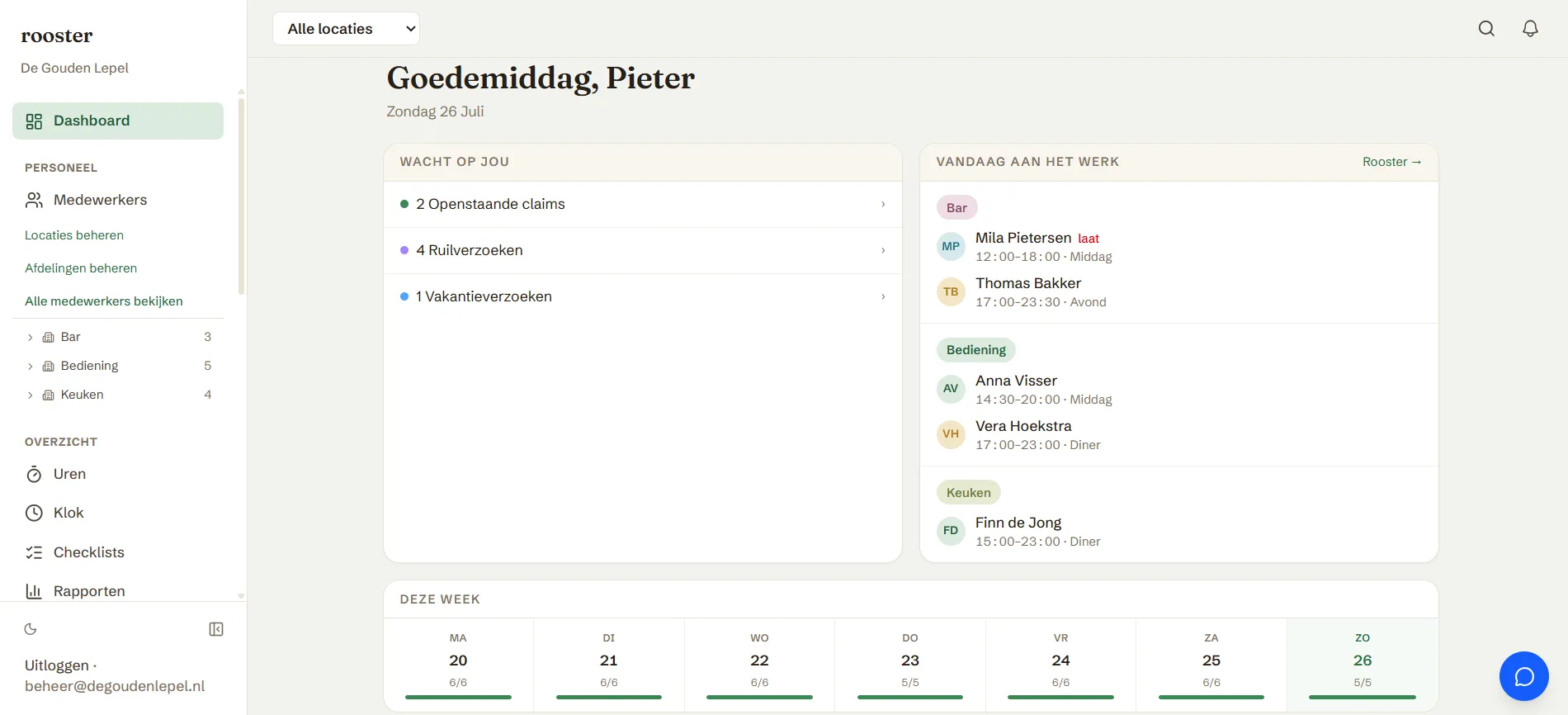
Dashboard
Everything at a glance.
See at a glance how many pending actions there are, who's working today, and daily coverage for the week. Staff birthdays are shown too.
- Pending claims, swap requests and corrections at the top
- Clock-in overview per day with departments
- Weekly coverage shown as a bar per day
Hours & Corrections
Hours that add up.
Every time.
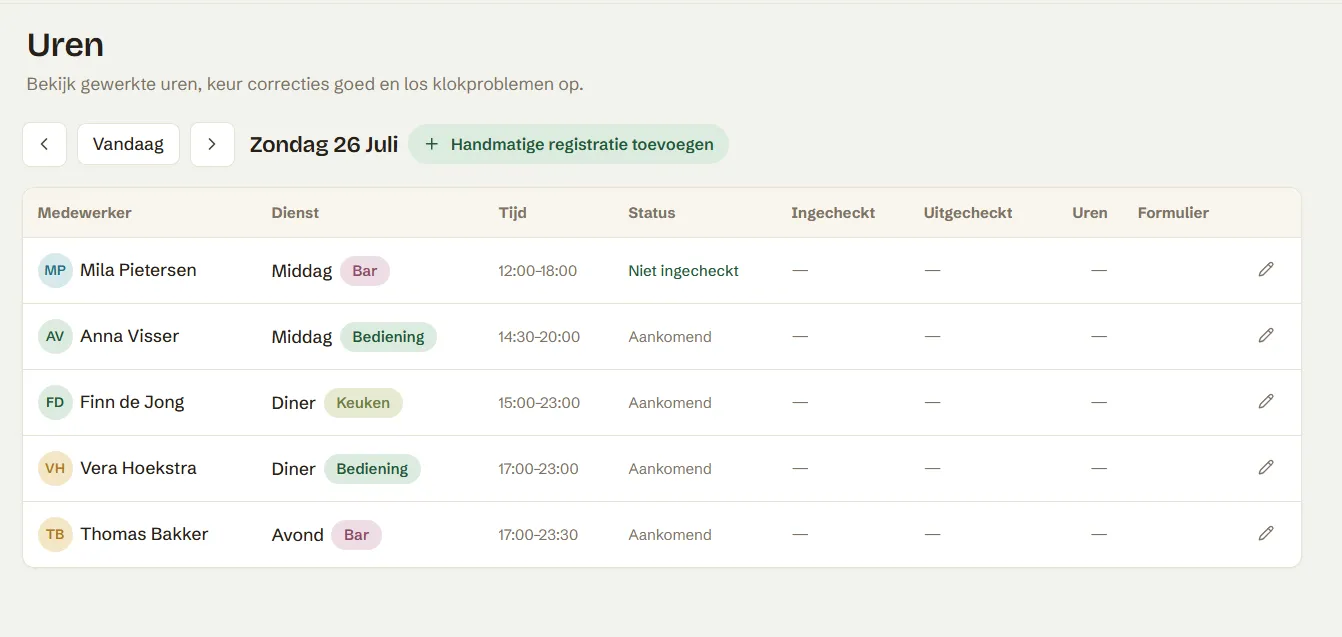
Manage worked hours per day and department. Staff can submit correction requests if they forgot to clock in or out — you approve or decline with one click.
- Pending corrections shown at the top per day
- Clock-in and clock-out times per employee
- Break, staff lunch and dinner tracked automatically
Reports
Insight into your labour costs.
View monthly or custom reports of labour costs, net hours, and no-shows per employee. Filter by location and export for your administration.
- Total hours, break and net hours per employee
- Labour costs including staff dinner deductions
- No-shows and contract deviations immediately visible
Requests without the messaging
Staff submit everything through the app. You approve with one click.
Staff claim open shifts or swap with each other. You see both sides, get a warning when a function doesn't match, and approve or decline.
Ready to try it yourself?
Start today — your team set up in 15 minutes, your first schedule generated the same day.